01 / Teachers
Their timetable and cover.
Private teacher pages show lessons, cover assignments and upcoming changes. Teachers can report an absence for the school to review.
 Timastra Schedule Online
Plan on desktop. Share with your school.
Bring the timetable you prepare in Timastra Schedule to staff and students. Share private school pages for lessons, daily cover and teacher absence reports.
USD 149 per school / year
Separate Online subscription · desktop app required for publishing
Build the week in Schedule Desktop preview
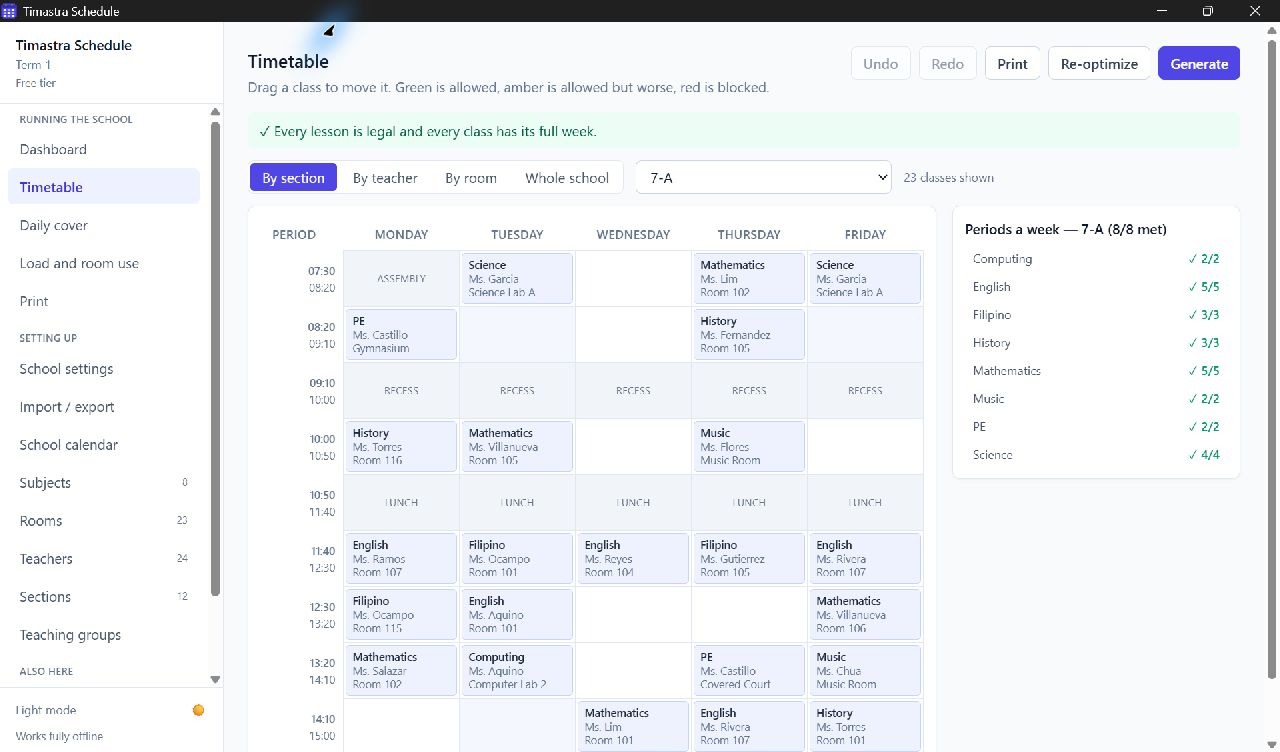
Desktop timetable Sync now Private school pages
The right view for each person
01 / Teachers
Private teacher pages show lessons, cover assignments and upcoming changes. Teachers can report an absence for the school to review.
02 / Students
Read-only section pages show the synced timetable and cover changes. Students get their private link directly from the school.
03 / Administrators
Use the school connection key to manage links and review absence requests. You choose when to publish with Sync now in the desktop app.
Desktop planning + optional Online sharing
Schedule runs locally on desktop. Online is a separate hosted subscription for publishing your school's timetable and daily cover.
View pricing and termsDesktop evaluation
Up to 5 sections and 10 teachers. Larger schools need a separate desktop school license.
Download free desktop tierPrivate school publishing
Renews automatically until cancelled. Eligible checkout confirms applicable tax and the final total. The desktop school license is purchased separately.
Review subscriptionFrom desktop evaluation to your school pages
Download Schedule and evaluate the free desktop tier. Prepare your timetable and daily cover there.
Review the separate Online subscription. After an eligible checkout and confirmed payment, save the connection key shown once.
Open Import / export → Online for staff in the desktop app. Connect with your key and press Sync now.
Use the same key for School access. Distribute teacher and section links, and manage the subscription in its billing controls.
No. Build and edit the timetable in Schedule on desktop. Online publishes the timetable and cover your school chooses to sync; it is not a browser timetable editor.
No. Your school controls publishing. Press Sync now in the desktop app when you are ready to share changes.
Teachers and students should ask their school for a replacement link. If the school connection key is lost or access has expired, contact support. A payment does not restore a lost key automatically; do not repeat a payment while its status is uncertain.